Private Facebook Video Downloader
Save videos from private groups and secret fanpages in 4K
Guide to downloading private Facebook videos on PC
FBDownload.to is the ultimate solution for accessing private Facebook content. Our cloud-based technology allows you to fetch restricted videos from secret groups and fanpages with absolute ease and zero cost.
Note: For optimal results, please perform the private video download on a desktop browser.
Step 1: Open Facebook.com on your computer, find the private video you need, and click on its timestamp.

Step 2: Press Ctrl+U (Windows) or ⌘-Option-U (Mac) to reveal the full page source code.
Alternatively, right-click on the page and select the View page source option.
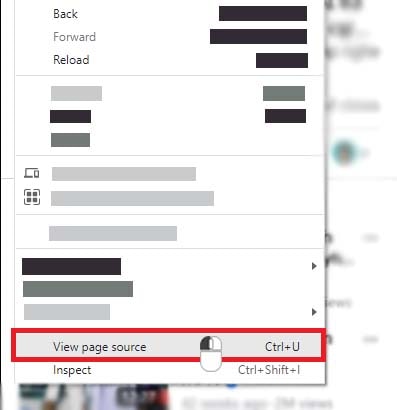
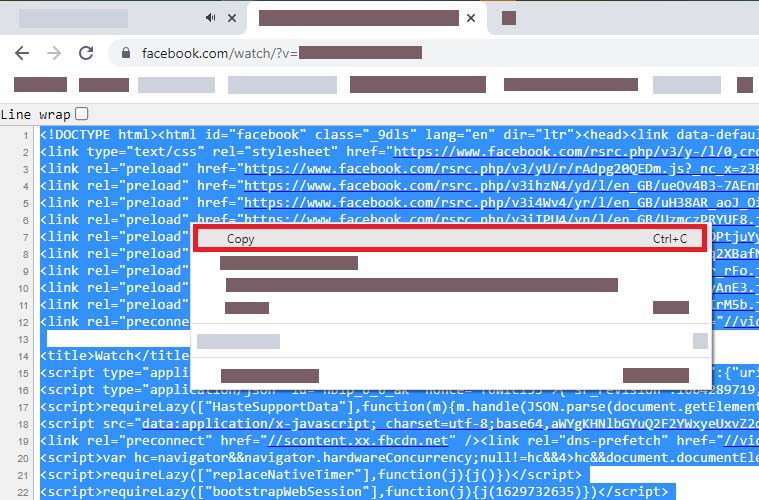
Step 3: Highlight the entire code by pressing Ctrl + A (Windows) or ⌘ + A (Mac), then right-click and choose Copy.
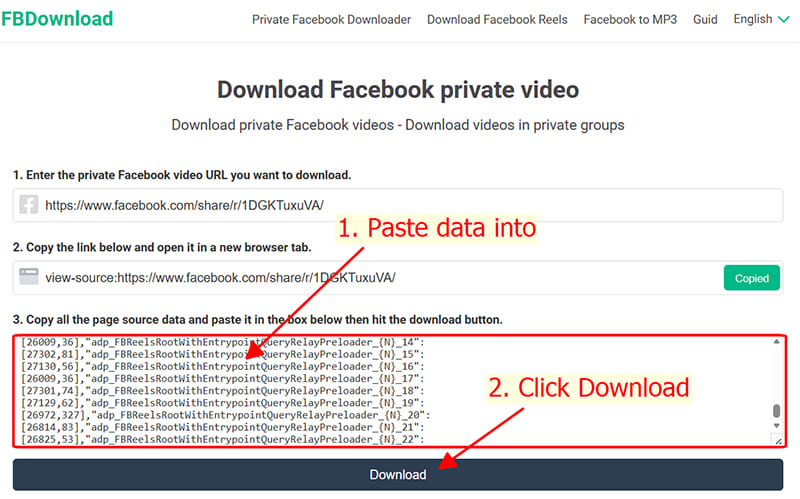
Step 4: Go to https://fbdownload.to/en/private-video-downloader, paste the code into the box, and hit the Download button.
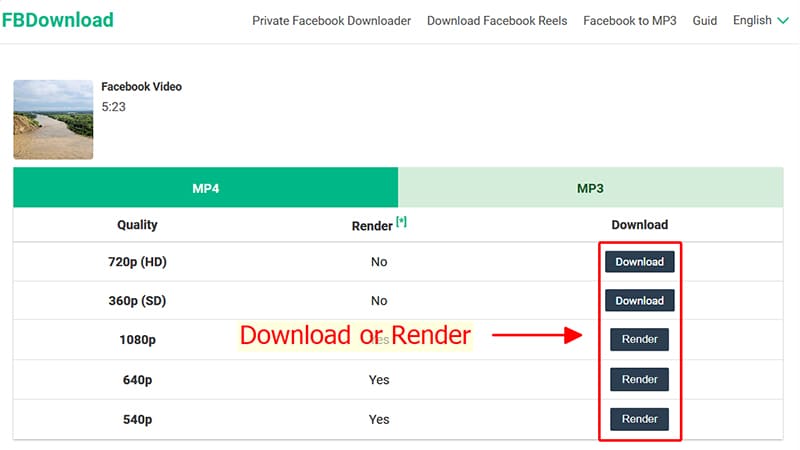
Step 5: Pick your resolution (MP4 or MP3), then click Download and wait for the file to be saved.
Private Facebook Download is an extremely useful feature that allows you to download private Facebook videos, videos from closed groups (secret groups), and videos restricted by country. If you're unable to download videos using the standard method, you can use this advanced feature to save them without any issues.
FBDownload - Premium Tool for Free Private Facebook Video Downloads
Private Facebook videos are media shared within exclusive environments like closed groups, secret communities, or specific fanpages where visibility is restricted only to authorized members or shared users.
Experience high-fidelity downloads with resolutions up to 4K and 2K. FBDownload ensures a secure environment where you can quickly convert any private video into high-quality MP3 audio, delivering a smooth user experience without the need for logins or third-party apps.